

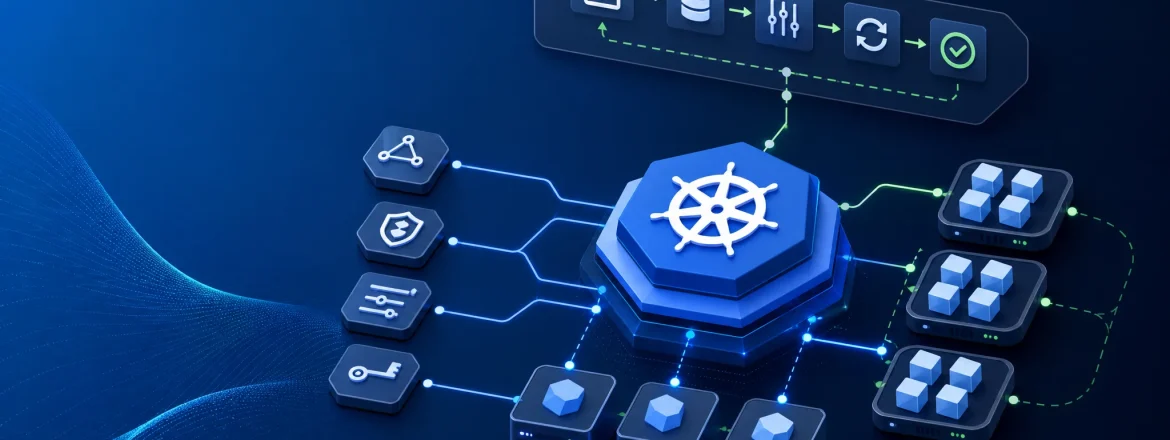
Kubernetes Explained: The Core Concepts Every Engineering Team Should Understand
A practical operating model for pods, deployments, services, ingress, config, secrets, autoscaling, namespaces, and cluster operations
Kubernetes is easier to understand if you start with the problem it solves: container images package software, but they do not decide where workloads run, how many copies should exist, how traffic reaches them, or what should happen when a node or process fails. A useful way to think about Kubernetes is as a desired-state system: you declare what you want, and Kubernetes keeps reconciling the cluster toward that state.

This is not a recommendation that every team should adopt Kubernetes. It is a practical way to understand what the platform does, what it does not do, and why the objects are arranged the way they are.
Start with the operating model, not the object list
Most Kubernetes confusion comes from learning the nouns first.
If you start with the operating model, the nouns make sense:
- you describe the desired state in a manifest,
- the control plane stores that desired state,
- controllers compare desired state with actual state,
- the scheduler chooses where Pods should run,
- node agents make sure the workload actually runs on the chosen nodes.
That loop is the core of the platform. Everything else is a specialized way to express one of those concerns.
Kubernetes is useful when a team needs a repeatable way to run containerized services. It is not automatically the right choice for every system.
How the object graph fits together
Kubernetes objects are connected with labels, selectors, and templates.
That sounds abstract until you use it in practice:
- manifests declare what should exist,
- labels attach metadata to resources,
- selectors let one object find another by label,
- templates let a higher-level object create repeatable workload instances.

This wiring model is what lets Kubernetes manage changing workloads without hard-coding a single Pod name everywhere. A Deployment creates Pods from a template. A Service finds those Pods by label. Configuration is injected into the Pod template rather than baked into the image.
That pattern is the reason Kubernetes feels so declarative once it clicks.
Pods and Deployments: how Kubernetes runs and updates application instances
A Pod is the smallest schedulable unit in Kubernetes. In most cases, it holds one primary application container, plus any sidecars that need to share the same lifecycle.
Pods are intentionally ephemeral. They are not durable identities. If a Pod dies or gets replaced, Kubernetes can create a new one, but it is not trying to preserve the exact same instance forever.
That is why teams usually manage Pods through a higher-level controller such as a Deployment.
A Deployment manages a set of Pods and coordinates:
- replica count,
- rollout behavior,
- rollback behavior,
- replacement during updates.
A concrete end-to-end example
Suppose you deploy a simple web API:
- You apply a Deployment manifest that declares three replicas of your container image.
- Kubernetes creates Pods from the Deployment’s Pod template.
- Each Pod becomes ready only after the application starts and passes its readiness check.
- A Service selects those Pods by label and provides a stable endpoint.
- If you expose the workload externally, an Ingress or another exposure mechanism routes traffic to that Service.
- If you publish a new image, the Deployment gradually replaces old Pods with new ones according to its rollout strategy.
That sequence is the practical value of the model. Kubernetes coordinates the transition, but the safety of the rollout still depends on the application starting cleanly, reporting readiness correctly, and handling in-flight traffic responsibly.
Kubernetes can coordinate the transition. It cannot make a broken release safe.
Services and Ingress: how traffic reaches Pods
A Pod does not give you a stable network identity in the way a long-lived server does. A Service provides a stable endpoint in front of a changing set of Pods.
The useful mental model is:
client → ingress or other exposure mechanism → Service → Pod

In many clusters, Ingress is the common HTTP/HTTPS entry point. But it is not the only way to expose traffic. Some environments use LoadBalancer or NodePort Services, and some newer setups prefer Gateway API. The exact mechanism depends on the platform.
The important distinction is this:
- Service gives you stable in-cluster routing.
- Ingress or another exposure mechanism brings external traffic into the cluster.
- Pods are the actual running instances behind the Service.
A beginner mistake is to collapse all of that into “load balancing.” That hides the boundary between external entry and in-cluster routing.
ConfigMaps and Secrets: keep configuration out of images, but be precise about the tradeoffs
Kubernetes gives teams a standard way to separate application code from environment-specific settings.
A ConfigMap is the canonical object for non-sensitive configuration. It lets you inject values into a Pod without rebuilding the image for every change.
A Secret is used for sensitive values, but the name should not be read as a complete security guarantee. Secrets are a Kubernetes mechanism for distributing sensitive data. They are not a substitute for RBAC, encryption strategy, auditability, or careful operational practice.
| Concern | Usually belongs in |
|---|---|
| Hostnames, feature flags, tuning values | ConfigMap |
| Credentials, tokens, private keys | Secret, with careful handling |
| Application logic | Image / code |
| Runtime wiring into a Pod | Pod template references |
The practical rule is simple:
- put code in the image,
- put environment-specific configuration in a ConfigMap,
- treat sensitive data with extra care,
- decide explicitly what belongs in configuration, what belongs in Secrets, and what should live elsewhere.
For Secrets, the real protection comes from the rest of the system:
- RBAC that limits who can read them,
- encryption at rest where your cluster supports it,
- controls on access from Pods and operators,
- careful handling in CI/CD, logs, and debugging workflows,
- periodic review of who can mount, view, or copy sensitive values.
That is the level at which Secrets become operationally useful.
Autoscaling and namespaces: how Kubernetes handles demand and organizational boundaries
When people say autoscaling, they often mean Horizontal Pod Autoscaling: changing replica counts based on metrics. Some environments also autoscale nodes, but that is a separate control loop.
Autoscaling changes desired state over time. Kubernetes keeps reconciling toward the current target as demand changes.
That makes autoscaling useful, but not magical:
- it is not a substitute for capacity planning,
- it is not a substitute for application design,
- it will not fix a service that starts slowly, leaks memory, or behaves badly under load.
Namespaces provide a way to partition a cluster into logical areas for teams, environments, or workloads.
They are useful for organization and scoping, but they are not a complete security or tenancy model on their own. A namespace is a boundary in the API and in resource organization; it is not the same thing as strong isolation.
That distinction matters because teams sometimes overestimate what namespaces protect. They help with ownership and structure. They do not remove the need for policy, access control, and explicit tenancy design.
Cluster operations are the part you inherit after the objects make sense
Kubernetes is not just a deployment target. It introduces cluster operations that someone has to own: scheduling behavior, capacity, upgrades, health checks, policy, and observability.
This is the part many primers gloss over, but it is often where the real cost appears.
In practice, someone has to care about:
- how workloads get scheduled,
- what happens when nodes are full,
- how rollouts are observed,
- how failing Pods are diagnosed,
- how cluster upgrades are performed,
- how platform policy is enforced.
A failure scenario worth understanding
A common rollout problem is simple: the new Pod starts, but the readiness check never passes.
What happens next depends on the controller and rollout settings, but the general pattern is that Kubernetes will not send traffic to a Pod that is not ready. If enough new Pods fail readiness, the rollout stalls, old Pods may continue serving, and the team needs to inspect logs, events, probes, and resource usage to find the cause.
That example matters because it shows the boundary clearly: Kubernetes can enforce traffic gating and rollout coordination, but it cannot diagnose your application bug for you.
Day-2 work is where the platform earns or loses trust.
If you want teams to trust Kubernetes, the important work is troubleshooting failed rollouts, understanding scheduling failures, diagnosing readiness and liveness issues, watching for resource pressure, handling upgrades without breaking workloads, and keeping the platform understandable for application teams.
When Kubernetes is useful, and when it is probably the wrong answer
Kubernetes is useful when a team needs a standardized operating model for containerized applications and is willing to own the complexity that comes with it.
It is probably the wrong answer when the simplest platform that meets the team’s needs would be easier to operate and easier to understand.
A practical decision lens looks like this:
- Do we need a standardized operating model for containerized services?
- Do we need repeatable deployment, scaling, service discovery, rollout orchestration, and restart behavior?
- Can we support the operational overhead of a control plane, worker nodes, and day-2 operations?
- Do we need portability or shared patterns across teams and environments?
If the answer to most of those questions is no, Kubernetes is likely extra machinery.
If the answer is yes, Kubernetes may be the right abstraction, but only if the team is prepared to operate it well.
The tradeoff is real: Kubernetes can reduce ad hoc deployment drift by standardizing common mechanics, but it also adds abstraction and platform ownership costs.
A quick way to test your mental model
Trace one workload end to end:
- Can I explain what is declared in the manifest?
- Can I identify which object creates the Pods?
- Can I explain how traffic reaches the Pods?
- Can I point to where configuration comes from?
- Can I describe the autoscaling boundary?
- Can I name who owns cluster operations?
- Can I say what Kubernetes will reconcile automatically?
- Can I say what Kubernetes will not fix for me?
If the answers are fuzzy, the person probably knows the nouns but not the operating model.
Another useful test is to ask what changes automatically and what does not.
- Kubernetes can reconcile desired state.
- Kubernetes can restart and reschedule Pods.
- Kubernetes can route traffic through Services and an external exposure mechanism.
- Kubernetes can adjust replica counts when autoscaling is configured.
- Kubernetes cannot replace application resilience, domain logic, or disciplined operational ownership.
Related reading
If you want the broader operating-model context, these posts are useful companions:
- Cloud-Native Development Operating Model: Paved Road + Explicit Exceptions
- Platform Engineering vs DevOps: Match the Operating Model to the Bottleneck
- Boundaries are your friends
The shortest useful summary
- Kubernetes is a desired-state control system for containerized applications, not just a container runner.
- Pods run work, Deployments manage replicas, Services provide stable endpoints, and Ingress is one common way to bring HTTP/HTTPS traffic into the cluster.
- Kubernetes reduces operational drift, but it does not remove application responsibility or day-2 platform work.
Once you understand the reconciliation loop and the object model, Kubernetes stops feeling like a pile of features and starts looking like what it really is: a set of tradeoffs with a shared operating model.